Factile logo

Ways to Play

Features

Use Cases

English

Factile logo

Create & Host Multiple Choice Jeopardy Games Online with Factile

Create & Host Multiple Choice Jeopardy Games Online with Factile

Turn any Jeopardy board into a multiple choice game with one click. Factile's

Choice Mode keeps the classic categoryand-points format but gives every team answer options to choose from. This makes it faster to play, easier to

moderate, and accessible for all skill levels.

Factile Jeopardy-style game board with a toggle switch for Choice Mode, overlaid by a multiple choice question card asking which region is in North Africa, with a hand tapping the toggle

What is Choice Mode?

What is Choice Mode?

Choice Mode is Factile's multiple choice Jeopardy game format, where teams select answers from A/B/C/D options instead of typing or speaking a response. It keeps the classic category-and-points board while picking up the pace, boosting participation, and giving hosts the flexibility to let all teams answer simultaneously or reward the fastest buzzer.

How Choice Mode Works

How Choice Mode Works

01

Pick a Category and Point Value

The host clicks a tile to select a category and point value. The question and options appear on screen. The reading timer gives everyone a moment to review before the countdown begins.

Cursor clicking a game tile icon

02

Buzz In or Let Everyone Answer Together

With Buzzer Mode on, the first team to buzz in earns the right to answer. With Buzzer Mode off, all teams answer simultaneously — perfect for large groups where everyone participates.

Pink buzz button icon

03

Select an Answer and Get Scored

A correct selection adds the tile's point value to the team's score; an incorrect selection deducts it. The moderator can skip or reveal the answer at any time.

Sparkle/star icon representing a scored answer

04

Play the Final Factile Round

When the moderator is ready to wrap up, the Final Factile question appears. Teams wager, submit answers, and the winner is displayed automatically.


Trophy icon with a penguin mascot inside

Choice Mode Features

Choice Mode Features

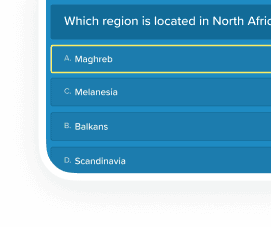
Multiple Choice Answers

Every question displays options on screen—no open-ended judging required.

Multiple choice question card showing four lettered answer options with one selected

Multiple Choice Answers

Every question displays options on screen—no open-ended judging required.

Multiple choice question card showing four lettered answer options with one selected

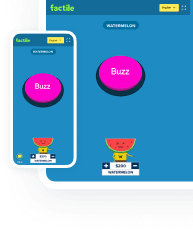
Optional Virtual Buzzer

Players buzz in from phones, tablets, or laptops.

Two mobile phone screens showing pink buzzer buttons with penguin and watermelon mascot avatars and point value controls

Optional Virtual Buzzer

Players buzz in from phones, tablets, or laptops.

Two mobile phone screens showing pink buzzer buttons with penguin and watermelon mascot avatars and point value controls

Final Factile

End with a final wager round that keeps the game dramatic and gives trailing teams a shot at a comeback.

Scoreboard screen showing a total score and a trophy with a penguin mascot

Final Factile

End with a final wager round that keeps the game dramatic and gives trailing teams a shot at a comeback.

Scoreboard screen showing a total score and a trophy with a penguin mascot

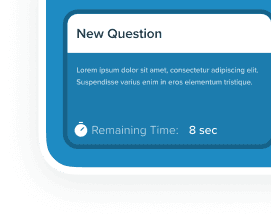
Timers & Reading Time

Use the reading timer before activating the buzzers and the countdown timer to keep pace.

Question card with a countdown timer showing 8 seconds remaining

Timers & Reading Time

Use the reading timer before activating the buzzers and the countdown timer to keep pace.

Question card with a countdown timer showing 8 seconds remaining

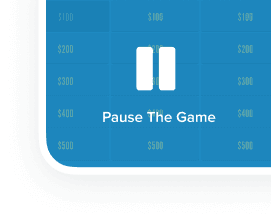
Save Games in Progress

Pause and resume later-ideal for class periods or multi-session training.

Game board tiles with a pause icon overlay reading Pause The Game

Save Games in Progress

Pause and resume later-ideal for class periods or multi-session training.

Game board tiles with a pause icon overlay reading Pause The Game

Automatic Scoring

Players click their answer and are automatically scored.

Leaderboard list showing player names with gold, silver, and bronze trophy icons

Automatic Scoring

Players click their answer and are automatically scored.

Leaderboard list showing player names with gold, silver, and bronze trophy icons

Where Choice Mode Shines

Where Choice Mode Shines

Children in a classroom raising their hands in front of a TV screen showing a trivia game board

Classroom Review

Rapid-fire review games

High participation

Covers more questions per period

Works for any grade level

Group of students at a table with tablets and laptops playing a trivia game while a teacher looks on

ESL / ELL Classes

High participation

Visual answer support

Vocabulary reinforcement

Reading practice

Group of coworkers at a table with tablets playing a trivia game in front of a TV showing the leaderboard

Corporate Trainers

Everyone answers simultaneously

Leaderboards build energy

No open-answer bottlenecks

Ideal for onboarding & kickoffs

Who Is This Mode Best For?

Who Is This Mode Best For?

Classroom Review

100% participation — every student answers every question

Instant formative feedback without manual grading

Built-in reading timers support all literacy levels

Covers more content in less class time

Classroom Review

100% participation — every student answers every question

Instant formative feedback without manual grading

Built-in reading timers support all literacy levels

Covers more content in less class time

Setup takes minutes, not hours

Fast-paced format keeps sessions energized

No wrong answer spotlight — teams pick privately

Works for 5 people or 100 without slowing down

Great for compliance, safety, and product knowledge

Setup takes minutes, not hours

Fast-paced format keeps sessions energized

No wrong answer spotlight — teams pick privately

Works for 5 people or 100 without slowing down

Great for compliance, safety, and product knowledge

Events & Icebreakers

Zero learning curve — tap A, B, C, or D

Leaderboards build instant energy in the room

Mix trivia, team-building, and subject review

Runs on any device with no app install

Events & Icebreakers

Zero learning curve — tap A, B, C, or D

Leaderboards build instant energy in the room

Mix trivia, team-building, and subject review

Runs on any device with no app install

Why People Love Choice Mode

Why People Love Choice Mode

Instant Engagement

Multiple choice answers eliminate open-ended judging, so games move more quickly.

Illustrated character in glasses and a beanie next to a lit light bulb and a 24-second countdown timer

Built-In Accessibility

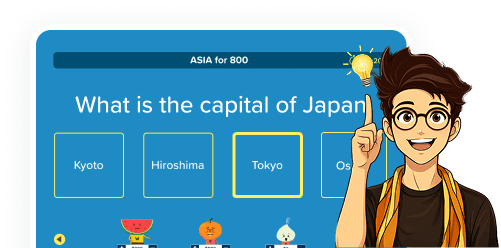
Answer options level the playing field. Players who might hesitate to shout out an answer feel confident choosing from options.

Illustrated character pointing at a multiple choice question card asking for the capital of Japan, with Tokyo selected among four options

Built-In Accessibility

Answer options level the playing field. Players who might hesitate to shout out an answer feel confident choosing from options.

Illustrated character pointing at a multiple choice question card asking for the capital of Japan, with Tokyo selected among four options

Everyone Plays Every Question

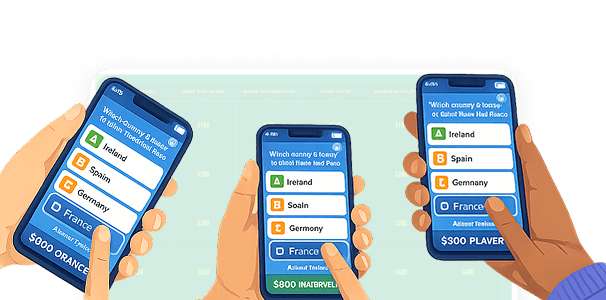
With Buzzer Mode off, all teams answer simultaneously and the leaderboard updates in real time.

Three hands holding phones displaying multiple choice answer options with country names and point values

Everyone Plays Every Question

With Buzzer Mode off, all teams answer simultaneously and the leaderboard updates in real time.

Three hands holding phones displaying multiple choice answer options with country names and point values

What Users Say About Choice Mode

What Users Say About Choice Mode

  • "The multiple choice mode is perfect for when I want every student to answer, not just the fastest one."

    Nicole F.

    Teacher

  • "Love having the choice option for quick reviews. Less pressure than the buzzer format but still keeps everyone engaged."

    Jamie L.

    Educator

  • "I switched to the multiple choice format for my younger students and it was a game changer. They feel more confident answering when they can see the options."

    Rachel T.

    Teacher

Frequently Asked Questions

Frequently Asked Questions

How do I make a multiple choice Jeopardy game?

How do I play a multiple choice Jeopardy game online?

What is the difference between Choice Mode and Factile Mode?

Can I use Buzzer Mode with Choice?

Is there a Final Factile round in Choice Mode?

Do I need to create a separate game for Choice Mode?

Can I see the correct answer before revealing it to teams?

How do I make a multiple choice Jeopardy game?

How do I play a multiple choice Jeopardy game online?

What is the difference between Choice Mode and Factile Mode?

Can I use Buzzer Mode with Choice?

Is there a Final Factile round in Choice Mode?

Do I need to create a separate game for Choice Mode?

Can I see the correct answer before revealing it to teams?

Explore More Ways to Play a Jeopardy Game on Factile

Explore More Ways to Play a Jeopardy Game on Factile

Illustrated hand pressing a pink Buzz button on a colorful starburst background

Trusted by 2M+ Educators and Teams

7-day money-back guarantee

Works in Any Browser

Join thousands of teachers, trainers, and trivia lovers who use Factile to run engaging multiple choice Jeopardy games. Pick a template or build your own board and start playing.

Illustrated hand pressing a pink Buzz button on a colorful starburst background
  • Trusted by 2M+ Educators and Teams

  • 7-day money-back guarantee

  • Works in Any Browser

Join thousands of teachers, trainers, and trivia lovers who use Factile to run engaging multiple choice Jeopardy games. Pick a template or build your own board and start playing.

Illustrated hand pressing a pink Buzz button on a colorful starburst background

Trusted by 2M+ Educators and Teams

7-day money-back guarantee

Works in Any Browser

Join thousands of teachers, trainers, and trivia lovers who use Factile to run engaging multiple choice Jeopardy games. Pick a template or build your own board and start playing.